

A branded carton can be visually approved and still contradict the seat, approval or instructions inside it. Before printing, match every size range, orientation, restraint mode, warning, belt path and language version to one controlled product configuration.
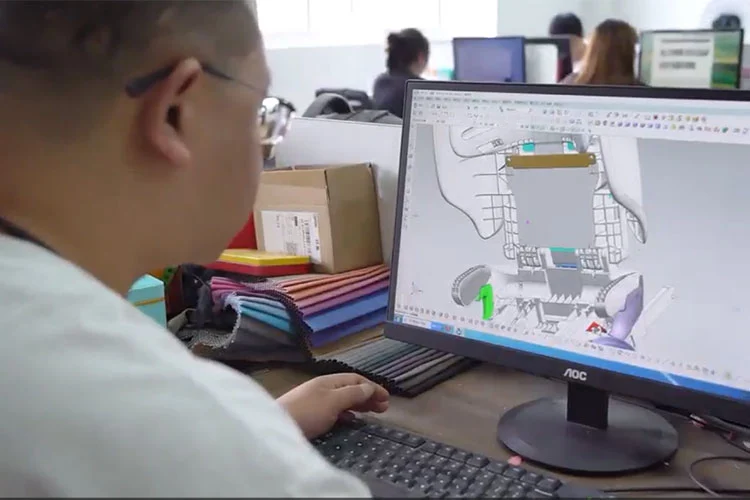
Artwork problems usually begin before anyone opens the design file. The buyer sends a logo and target language. The designer receives an old manual. The carton supplier copies a height range from a sales sheet. Meanwhile, the label drawing follows a different product extension. Each file looks complete on its own.
Our factory view is simple: the first artwork meeting should not begin with colours or logo position. It should begin with product identity. If we cannot write one line that names the model, approval number, category, configuration and revision, we are not ready to freeze any regulatory copy.
1. Create one source matrix before opening the artwork
The current UN Regulation No. 129 publication 2026/1534 separates markings, approval marks and information for users. Your project should connect those requirements to the approved product rather than copying a universal label pack.
Identity line for the artwork register
- Approved identity
- Factory model, full approval number including extension, legal manufacturer and applicable category
- Use configuration
- Orientation, installation method, integral or non-integral mode, size range and maximum occupant mass where applicable
- Physical product
- Controlled bill of materials, drawing or product-specification revision and approved sample reference
- Artwork set
- Seat labels, molded markings, manual, quick-start guide, carton, bag and any point-of-sale material
- Market version
- Destination country, required languages, buyer brand, responsible translator and local review status
- Release status
- File number, revision, approver, date and physical-sample verification
The full approval number matters because an extension may change the approved information set. If you have not checked it yet, use the separate guide on verifying a UN R129 approval communication. Once the identity is fixed, the artwork register should prevent a designer from replacing it with a shorter marketing label such as "E8 R129".
2. The seat, exterior carton and instructions do different jobs
On-seat markings
Remain with the ECRS and communicate approved identity, use range, orientation, belt paths, warnings and installation cues where applicable.
Exterior packaging
Presents category-specific notices and information that the customer must see before removing the seat from the package.
Instructions
Explain how to install, adjust, use, clean and retain the restraint for every approved configuration.
Repeating one paragraph across all three surfaces is not a safe shortcut. Some information must be visible on the product, some on the exterior package, and some belongs in the full instructions. The buyer should ask for a requirement-to-location table that states where each item appears and which file controls it.
3. Check the information that stays on the child restraint
Sections 4 and 5 of the current R129 text provide the starting points. The applicable list changes with the ECRS category and design, but the artwork review should address these fields rather than approving one combined sticker by appearance.
| Marking area | Current R129 point to check | Artwork or sample evidence |
|---|---|---|
| Manufacturer and date | Manufacturer name, initials or trademark; year of production marked clearly and indelibly on the ECRS, except the straps or harness | Marking drawing, production method, location photo and legibility check |
| Use range | Orientation, size range in centimetres and maximum occupant mass for an integral ECRS | Configuration matrix compared with every printed boundary |
| Approval mark | E-circle and country number, approval identity, applicable UN R129 series, category and size range as required | Approved mark layout matched to the complete approval communication |
| Adult-belt path | Approved routes marked in green; markings on all belt guides and lock-off devices, on both sides, visible when installed and with the child seated | Left and right installed photos with the actual belt routed |
| Installation cues | Applicable i-Size, ISOFIX, rotation-control, indicator and instruction-location markings | Photo set for every installation and use configuration |
| Digital guide access | If a full paper guide is not supplied, a weblink or QR code to the user instructions must be permanently attached and visible to the installer | Scannable production label linked to the final live destination |
The green belt-path rule is easy to misunderstand. It does not mean a designer may add several helpful routes in different colours. Section 4.6.4 says only type-approved belt routings may appear, those routes are green, and no other belt routing may be indicated. This is why a rendering should be checked against the approved configuration before the product photographer builds a how-to graphic from it.
4. Three label dimensions deserve an actual ruler
A PDF can show the correct artwork at the wrong physical scale. Put dimensions in the label drawing and verify them again on the production sample.
| Label | Minimum specified in current R129 | Physical check |
|---|---|---|
| Rear-facing airbag warning near the child's head area | 120 x 60 mm or an equivalent area | Measure the printed label, confirm permanent attachment and verify that it remains visible in every use configuration |
| Forward-facing age warning for an applicable integral ECRS | 40 x 40 mm | Check the correct version for forward-facing-only or combined forward/rearward use and the market language for "months" |
| i-Size pictogram for an applicable integral ECRS with ISOFIX attachments | 25 x 25 mm | Confirm contrast or adequate relief, location on the part with the ISOFIX attachments and visibility to the installer |
The rear-facing warning has further controls. Its prescribed pictograms cannot be restyled as brand graphics. The regulation permits only limited exceptions for two recognizable icons and accepts small production tolerances. It also requires permanent attachment and specifically prohibits a flag-type label. If another part or accessory can hide the warning, an additional label is required.
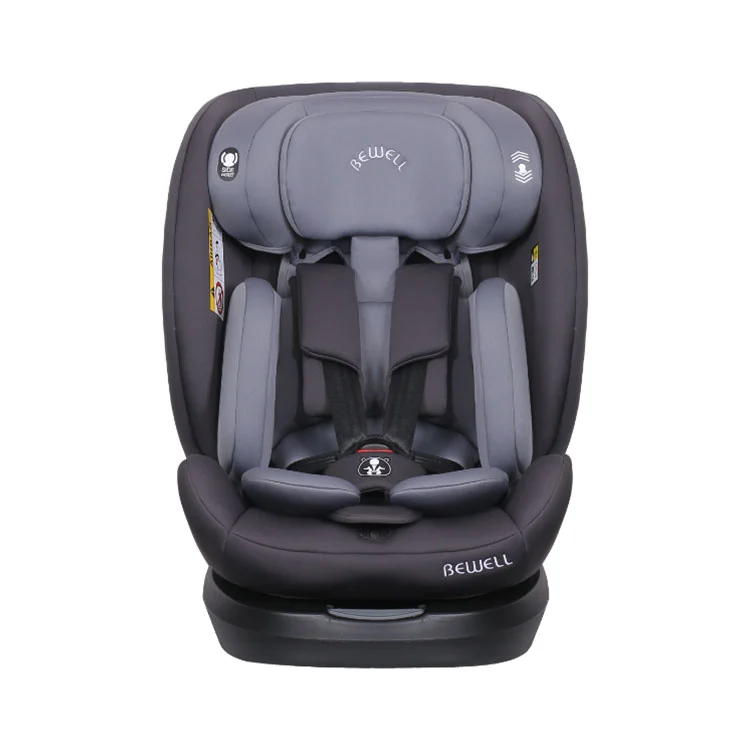
Five photos for the physical record
- Complete product and label locations
- Each regulatory label close enough to read
- Ruler against labels with minimum dimensions
- Installed left and right belt-path views
- Each position that could obscure a warning
Do not approve from a cropped sticker photo. The location, product identity and surrounding parts are part of the check.
5. Exterior packaging is part of the information system
Section 14.2 requires information in the language of the country where the restraint is sold. The exact exterior notice depends on the category, including i-Size, i-Size booster seat, Universal booster cushion, Universal Belted or a specific-vehicle category.
The package review also needs to address information that a customer must see before unpacking:
- the applicable category notice;
- where the customer can obtain information about fitting the ECRS in specific cars;
- the active-frontal-airbag warning for a rearward-facing ECRS;
- the 15-month forward-facing warning for applicable integral systems;
- specific-vehicle compatibility information where relevant;
- the no-full-paper-guide notice and access method if the digital route is used.
Brand copy should sit around these items, not rewrite them. A slogan such as "from birth" can create a contradiction if the approved configuration is expressed by stature and mass limits. A lifestyle photograph can also cover a notice that must be clearly visible on the exterior. Review the dieline at print size with all panels, flaps, labels and retailer stickers shown.
Bewell's customization page lists label design, cardboard boxes, PE bags and language versions of manuals as customizable items. We treat that as a list of project surfaces, not permission to alter mandatory content. Every customized surface stays connected to the same approved-model matrix.
6. Audit the complete user instructions by configuration
Section 14.3 of the current text requires instructions for use in the language of the country where the device is sold. It calls for size ranges for each configuration, the applicable maximum occupant mass for integral systems, clear photographs or drawings of use and installation, and explanations of the buckle and adjusting devices.
The instructions also address operational warnings and maintenance. The list includes tight vehicle-restraint straps, support-leg contact with the vehicle floor, adjustment of restraints to the child's body, untwisted straps, low lap-belt position, replacement after violent stress in an accident, cleaning, unauthorised alterations, use of the approved cover, retention of the instructions and reference to the vehicle manufacturer's handbook for i-Size systems.
Then perform a diagram-to-product pass. The drawing should show the same buckle, guide, button, indicator, tether or support leg that appears on the sample. Numbered callouts must point to real parts, and repeated parts need the same name throughout the manual. This is where a brand translation can be grammatically good yet operationally wrong.
7. Decide between the full-paper and digital-manual routes
The 2026 publication gives two delivery routes in Section 14.1. A manufacturer can provide paper information that satisfies Sections 14.2 and 14.3. Alternatively, it can provide the Section 14.2 information and a physical paper quick-start guide under Section 14.4, with the full Section 14.3 instructions supplied digitally.
The second route is not "put a QR code on the carton and remove the manual." The current text adds specific controls:
| Digital-route item | Current R129 requirement | Pre-production evidence |
|---|---|---|
| Physical quick-start guide | Paper form in the language of the country, with the minimum Section 14.4 information | Print-ready file, finished size and packed-sample photo |
| QR code and weblink | Both appear with the product; the seat also carries a permanently attached and visible access route when no full paper guide is provided | Scan results from the printed sample and the design-file check |
| Language access | The destination is in the country's language or presents a language selector on its top page | Recorded destination for every market version |
| Format and privacy | The digital guide is printable and can be accessed without entering personal data | Anonymous access test and printable-file check |
| Availability | Digital instructions remain available for the product lifetime and at least 10 years after production is definitely discontinued | Controlled URL, content owner, hosting responsibility and retention statement |
| Printed copy request | Contact details allow the customer to request a full printed paper version, which the manufacturer keeps available over the product lifetime | Contact route and fulfilment owner |
A short-link domain, website redesign or discontinued buyer brand can break the digital route years after the goods ship. The artwork register therefore needs a URL owner and retention plan. Test redirects without requiring cookies, login or personal data before access.
8. What a real multi-mode manual shows
The current BW23 product page links a 25-page BW23 manual. Its contents separate product overview, notices, safety warnings, use, installation, daily maintenance, washing and fabric-cover removal.
The installation section is divided into three modes: 40 to 105 cm rearward-facing, 76 to 105 cm forward-facing and 100 to 150 cm forward-facing. That structure creates a useful artwork lesson. One product can carry several valid boundaries, but each number belongs to a particular orientation, child-restraint mode and installation method.
| BW23 manual area | Consistency check | File that should agree |
|---|---|---|
| Front notice and use chart | Each height range is paired with the right orientation, restraint mode and installation method | Seat labels, carton notice and product specification |
| Product overview | Part names and callout numbers remain identical in later operating steps | Physical sample and translated manuals |
| Installation chapters | Drawings, belt paths, indicators and final installed positions match the named mode | On-seat markings and approved configuration |
| Maintenance and cover removal | Cleaning symbols and removal steps match the supplied textile set | Fabric label, bill of materials and replacement-cover information |
The downloadable manual is first-party product information, not proof that a proposed private-label translation has been approved. Buyers should use the applicable approved document set and current project revision. The existing file is useful because it shows the amount of content that a one-line request for "English manual + logo" fails to define.
9. Approve the PDF, then release the printed sample
Bewell's published customization route moves from drawing design through prototype and sample confirmation to bulk production. For artwork, sample confirmation should include the finished seat and the packed product. Screen proofs cannot reveal label adhesion, print contrast, scale, obstruction, barcode placement or whether the QR code survives the actual printing process.
| Release check | Pass condition | Hold condition |
|---|---|---|
| Identity | Model, approval number, category and artwork revision match the release register | A shortened or different approval identity appears on any surface |
| Configuration | Every height, mass, orientation and installation statement matches the approved matrix | One number appears without its mode or conflicts with another file |
| Labels and routes | Required labels meet size, attachment, visibility, colour and location controls | A label is obscured, removable, undersized or shows an unapproved belt route |
| Language and diagrams | Reviewed language, part names and pictures give the same instruction | The text says one action while the drawing shows another |
| Digital access | Printed QR and weblink reach the correct printable guide without personal-data entry | The link redirects to a home page, login, wrong model or wrong language |
| Packed product | Correct manual or quick-start guide is inside and exterior notices remain visible | A retailer label, strap or carton flap covers required information |
Store the approved PDF, print sample photos and release register under the same revision. If the buyer later changes a language, label, fabric or product configuration, reopen the affected rows instead of editing one file in isolation. The related UN R129 Conformity of Production guide explains how to carry that controlled identity into later batches.
Questions buyers ask before approving car seat artwork
Can I put my private-label brand on a UN R129 child car seat?
Branding affects artwork and approval control as well as printing. Give the factory your proposed trade name and artwork, then document how they relate to the approved model, manufacturer, approval mark and current extension before production.
What size is the UN R129 rear-facing airbag warning label?
The current R129 text specifies an overall size of at least 120 x 60 mm or an equivalent area. It also controls content, pictograms, visibility and permanent attachment. The physical production sample should be measured and photographed.
Does UN R129 allow a digital car seat instruction manual?
Yes, under the current digital route. The product still needs the applicable paper information and a physical paper quick-start guide. The complete digital guide must be printable, available in the required language, accessible without personal-data entry and retained for at least 10 years after production is permanently discontinued.
What colour are approved adult-belt route markings under current R129?
Green. The current text requires the approved adult-belt routes to be green and says no other belt routes may be indicated. The markings must cover the applicable guides and lock-off devices and remain visible in the required installed conditions.
What should I send a factory for an artwork review?
Send the destination market, factory model, full approval number if known, buyer brand, product configuration, required languages, proposed paper or digital manual route, and every artwork file in scope. State whether you are reviewing a draft, sample or bulk-production release.
Send one model and one market for an artwork gap review
A useful enquiry gives us enough identity to compare the seat labels, instructions and packaging as one set. We can then identify which files, configuration points and physical checks need confirmation before the project moves to print or bulk production.
Include in your brief
- Destination country or countries
- Bewell model or product-page link
- Buyer brand and proposed product name
- Installation modes and advertised size ranges
- Required languages and translator status
- Full paper or paper-plus-digital guide route
- Current stage: draft, sample or bulk release
Ask the review to identify
- Approval and configuration fields to freeze
- Seat, carton, bag and manual files in scope
- Missing language or category information
- Label dimensions and installed-photo plan
- QR, weblink and printed-copy controls
- Open questions before printing
- Revision and sample-release references
Email the same brief to tic@nbbewell.com. Final document availability and the applicable approval route will be confirmed for the named model, market and customization scope.